4. Per-mass Single Ion Area on an ICP-ToF
Determining the single ion area (SIA) is essential for accurate thresholding of ICP-ToF data. In SPCal we approximate the SIA using a shape parameter, \(\sigma\). This value can be determined from ionic data using the methods described in Recovery of compound-Poisson-lognormal parameters. In the SPCal GUI we can determine SIA values for each mass by loading a low concetration ionic standard into the Single Ion Distribution Dialog, found in the Limit Options Dock.
- Download the required data file.
The
tof_single_iondirectory can be found in the example_2_data.zip archive.
Start the Single Ion Distribution Dialog Click the Single Ion Options… button in the Compound tab of the Limit Options Dock. This will start the dialog.
Open the example data file. Once started, the dialog will prompt you to load a file. Load the
tof_single_ion/run.infofile.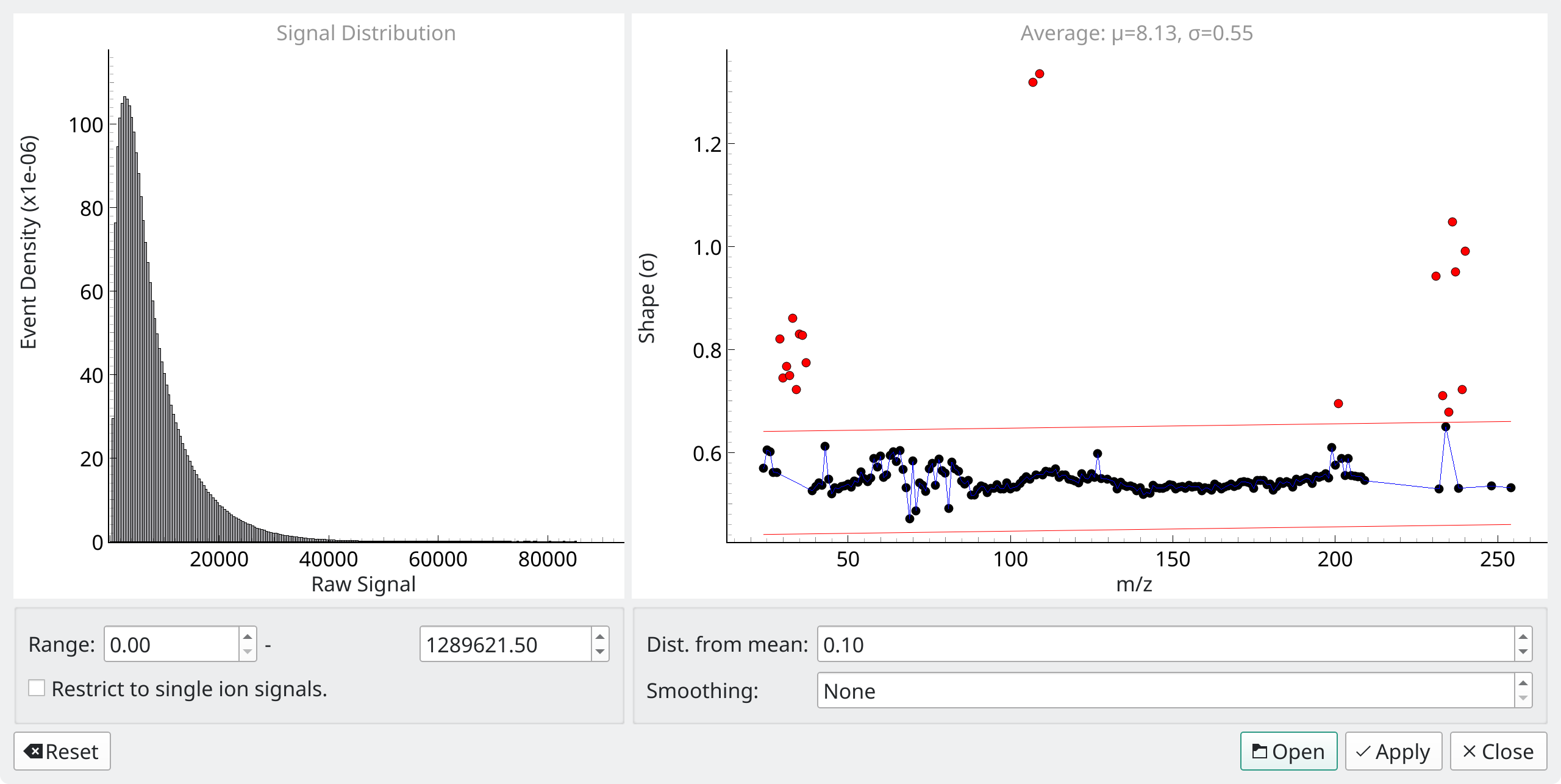
Fig. 4.1 The single ion dialog.
The dialog should now look like Fig. 4.1, with a histogram of all signals shown on the left and calcualated shapes on the right.
Check the calculated shape values for anomalies. The shapes are shown as a scatter plot on the right half of the dialog, as in Fig. 4.1. Red points have been excluded due to low or high zero counts (preventing calculation of \(\lambda\)) or being to far from the mean value. Both silver isotopes (107 and 109) have very high shape values of around 1.2, and are thus excluded. Left-click on either point to display the signals. Here you can see spikes from particulate material causing high variance and incorrect retreival of the SIA shape.
Apply the dialog. Clicking Apply will disable the SIA shape option in the Limit Options Dock and instead use the per-mass SIA retrieved previously.