3. Non-targeted Analysis Using an ICP-ToF
The simultaneous acquisition of the full elemental mass range makes ICP-ToF an excellent particle screening tool. In this example, elements of interest in a soil extract are automatically selected using parameters set during import. A full description of the non-target screening tool is available at Non-target Screening.
- Download the required data file.
The
tof_non_targetNu directory can be found in the example_3_data.zip archive.
- Import the sample file.
Open the sample file to start the Data Import wizard. Select Non-target screening and enter 1000 into the Screening ppm field, this will select elements with greater than 1000 particles per million events. Press Ok to start the screening process.
- Verify element selection.
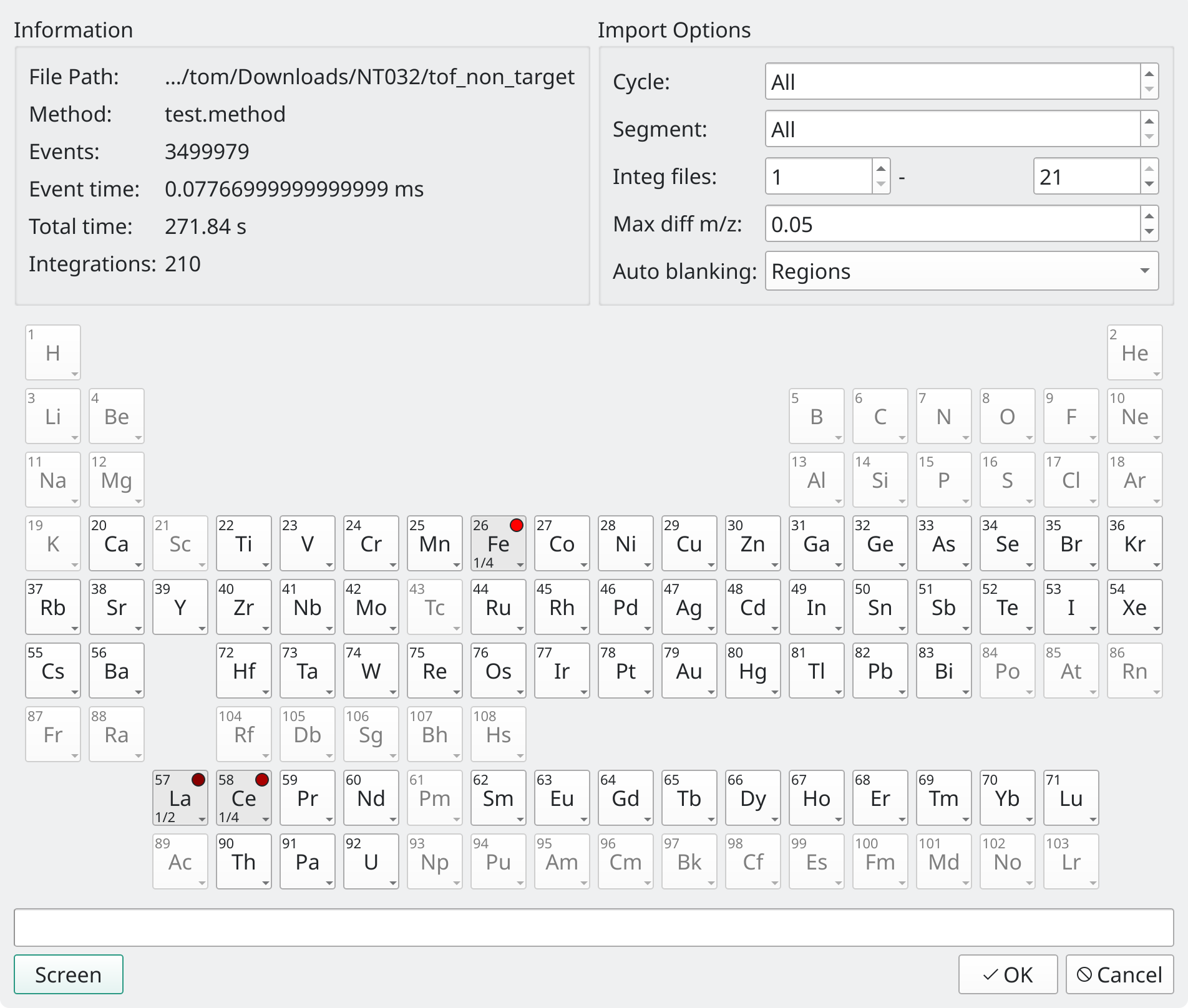
Fig. 3.1 Elements selected during the screening are colour coded from black (low) to red (high) to show the relative number of detected particles.
The non-target screening will automatically select all elements with detection counts above the given Screening ppm value, in this case Fe, La and Ce. Press Ok to import the data.